- Increase Your Linkability - have useful content so people will link to you and you imn return will link to other people's stuff
- Make Tagging and Bookmarking Easy - have an RSS feed so people can read your information anywhere. Make your website mobile friendly
- Reward Inbound Links - let people link to your site. You will get higher search rankings
- Help Your Content Travel - have your information in any formats, eg mobile, RSS feed, text only version
- Encourage the Mashup - let people use parts of your stuff in their original content
- Be a User Resource, Even if it Doesn’t Help You - create content valuable for other people
- Reward Helpful and Valuable Users - give them rewards when they help you reach your goals
- Participate - in discussions and blogs
- Know How to Target Your Audience - focus on getting your target audience hooked on your site
- Create Content - update your site frequently so people will come back and read it
- Be Real - don't pretend
- Don’t Forget Your Roots, Be Humble - don't brag
- Don’t Be Afraid to Try New Things, Stay Fresh - same with rule 7 and 10
- Develop a SMO Strategy - apply your SEO strategy to your blog and social media profiles
- Choose Your SMO Tactics Wisely - they should be similar to your SEO strategy
- Make SMO part of your process and best practices - SEO for social media is just as important as SEO for your website or blog.
Thursday, 28 November 2013
16 Social Media Rules
Monday, 25 November 2013
SEO Tips Part 3
Tuesday, 19 November 2013
How Monetize your Blog
Selling ads is easy. There are many platforms you can sell ads on, they are:
- Chitika- old ad marketplace, quick approval
- Adsense - largest ad network
- Infolinks - newcomer to the ad world
- BuySellAds - online ad marketplace for publishers and ad buyers
- media.net - serves Yahoo and Bing ads
- eBay affiliate - post eBay affiliate links and gert money when someone click on your link and buy stuff on eBay
- Amazon affiliate - post eBay affiliate links and gert money when someone click on your link and buy stuff on Amazon
- Bing ads - large ad network, smaller than Adsense
Saturday, 16 November 2013
Blogging Tools
- Content Idea Generator https://docs.google.com/spreadsheet/ccc?key=0Aj4U6wmYE1X6dDB5S1lDUXFzaTUxME5IRmJqZ2ozZGc - a spreasheet in Google Docs where content ideas are stored
- Diigo http://www.diigo.com/ - store information you collected with this tool
- Focus Booster http://www.focusboosterapp.com/ - you will never get distracted with this blogging word processor
- Markup.io http://markup.io/ - a multiuser blog tool
- OmniWriter http://www.ommwriter.com/ - a distraction free text editor
- Photo Pin http://photopin.com/ - free Creative Commons photos can be found here
Thursday, 14 November 2013
Often Overlooked SEO Tips
Wednesday, 13 November 2013
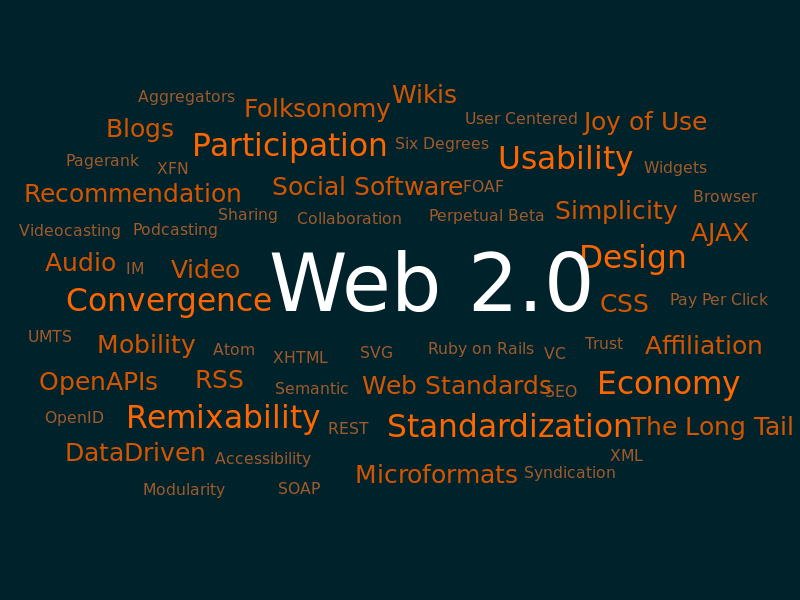
Web 2.0
Web 2.0 is the new World Wide Web. In it, you can do a lot more than the old Web. You can now interact on websites in addition to viewing static data. Web 2.0 web sites that use technology beyond the static pages of earlier web sites. The term was coined in 1999 by Darcy DiNucci and was popularized by Tim O'Reilly at the O'Reilly Media Web 2.0 conference in late 2004. Although Web 2.0 suggests a new version of the World Wide Web, it does not refer to an update to any technical specification, but rather to cumulative changes in the way web pages are made and used.
A Web 2.0 site may allow users to interact and collaborate with each other in a social media dialogue as creators of user-generated content in a virtual community, in contrast to websites where people are limited to the passive viewing of content. Examples of Web 2.0 include social networking sites, blogs, wikis, folksonomies, video sharing sites like YouTube, hosted services, web applications like Office, and mashups. You can create and edit any of these types of websites.
The client-side (web browser) technologies used in Web 2.0 development include Ajax and JavaScript frameworks such as jQuery, Ext JS and Prototype JavaScript Framework. Ajax programming uses JavaScript to upload and download new data from the web server without undergoing a full page reload.
To allow users to continue to interact with the page, communications such as data requests going to the server are separated from data coming back to the page. Otherwise, you would have to routinely wait for the data to come back before they can do anything else on that page, just as a user has to wait for a page to complete the reload. Your site will get much higher performance because it doesn't have to refresh.
Data are transmitted and received via Ajax, which means only parts of a webpage will be refreshed when a request for information is made and new information is delivered. This means that your website can work like any program on your computer if you get someone to build a site that has rich functionality.
On the server side, Web 2.0 uses many of the same technologies as Web 1.0. Languages such as PHP, Ruby, Perl, Python, as well as JSP, and ASP.NET, are used by developers to output data dynamically using information from files and databases. What has begun to change in Web 2.0 is the way this data is formatted. In the early days of the Internet, there was little need for different websites to communicate with each other and share data. In the new "participatory web", however, sharing data between sites has become an essential capability. To share its data with other sites, a website must be able to generate output in machine-readable formats such as XML (Atom, RSS, etc.) and JSON. Stuff like comments, order information in a shopping site are all stored in databases online. They are readily accessible so you can retrieve them any time. Information storage is a big differentiator between Web 1.0 and 2.0 websites.
With Web 2.0 technologies, you can do a lot more that ever before. You can capture people's data and make your own analysis when people indirectly enter their information into your databases. You can use the information to target advertising. The server side languages allow you to add interactivity, dynamically display web pages, and store entered information into databases. JavaScript lets you make fancy effects in your pages. Ajax lets you get and set information instantly in your website.
Thursday, 7 November 2013
Build a Store Online
Shopify is a one stop solution to hosting a web store online. It is a paid solution. You simply sign up follow the instructions to set up a store. No technical knowledge is required. Designs are available in preset form or you can get someone to design it. You can also get a domain name or use a shopify subdomain for your URL. Setting up payment is easy with Shopify Payments for North American stores.
Similarly, you can build your store with eBay. The only difference is that you need a PayPal Premier or Business account to set one up. It has different tiers: Basic, Premier or Anchor. Anyone can set up a basic store, but you need to have a high volume store to upgrade it to Premier or Anchor. You can set one up as easily as Shopify.
They are both paid solutions with monthly fees. It will cost you at least $14 for basic Shopify subscript and more expensive for an eBay subscription.
You should be aware that for every sale, both will get a cut of your sale as a fee.
Now there are easy solutions to sell your stuff online.