Saturday, 21 December 2013

HTML 5 and New Media


The new web publishing standard is HTML 5. It allows you to create web pages with multimedia without the use of plugins. It also adds many markup tags that describe the structure of a page.

New elements in HTML 5 include descriptive elements such as nav, header, footer, section, figure, etc. The meaning of the tags are self explanatory. Nav means navigation, head means the page head, footer is the page's footer, figure is a picture. You should place them on the page in the position where they usually belong on a web page: header on top, footer on the bottom, figures in the middle of the page, and navigation should be somewhere prominent on the page.

Multimedia tags new to HTML5 include audio and video. You can add audio and video clips on the page by directly referencing them in your webpage. Plugins are not required for playback. They should be in MPEG4 format and have no DRM.

Simplifications include from HTML5 include specification of the character set via the meta element and the text/javascript type is no longer needed for script tags. JavaScript is the default.

HTML5 is compatible with the latest versions of Firefox, Chrome, and Internet Explorer.

HTML5 has many advantages over previous versions of HTML. The description of the page is now separate from the formatting. New multimedia elements are added to make embedding and playback easier.

Tuesday, 17 December 2013

Importance of Transparency in Social Media

Here is a blog post about the virtue of transparency in marketing:

http://www.sproutcontent.com/blog/bid/105136/Transparency-is-the-Key-to-Good-Content-Marketing

It says that being honest about your product is the best way to market your product because there is nothing to cover up and the audience will happily trust our product. It has examples from Lays, Organic Valley and Patagonia.

Transparency is important to social media because there are so much information that it is hard to find trustworthy sources, especially in social media sites where a lot of people post fake information about themselves. Having transparency allows people to inspect the sources for authenticity. This is important for building trust. For example if a reviewer posts reviews about a product, there is no way to verify if the review is sincere. However, if the company selling the product posts about a product and it hosts tours and allows people to trust their product, then it is being transparent and there is a way to to verify their product. They post the information on social media and people will know the information.

Telling people answers truthfully earns the trust of customers and people will be more likely to buy your product and services because of it. Advertisers and mrketers should be transparent about their products and services so that they can evaluate their products with the most information possible. If your product is good, then there is nothing to hide. If you have something you think you need to hide, then you need to work on your 4P's of marketing. You should make a better product or set a better price. You can spin your product in a better so that people will be attracted to it, but there it is likely to be wrong for you to not be trasparent in your promotional activities online.

So, it is time to be transparent if you are not. It is time to be truthful and reveal the most about the things you are trying to promote online. 

Saturday, 14 December 2013

Recommendations on How to Leverage Blogging

Blogging is a very useful tool to distribute information online. They do not have to be long or complicated. Unlike offline media like newspapers and magazines, you can put videos and audio online. You can have links and have comments under your posts. It is very easy to customize the themes to suit your business or organization.

It can enhance a brand by dispelling useful information to the public. It establishes your brand's credibility and authority. This then builds trust of your offerings and this in turn drive sales. A blog also help with SEO if you update it frequently. The comments pane in the bottom of a blog entry can serve a virtual community for your company.

On the web, there are a lot of blogs online, and most of them don't have much readers or audience. However, a lot of people don't take the time to make a proper blog, so they are at a disadvantage from the start. It is very easy to make an attractive blog with interesting content that can make your blog stand out from the rest. I have multiple recommendations for making a good blog. Ypou should link to as many sites as possible so that other people will link back to you in return. Linking to oither sites drives up your blog's search engine ranking and so more people will click on it and read it. You should put a lot of pictures and videos on the blog so that you attract people to read your entries. Words are too hard to read for people on the internet since they are already overloaded with information online. Almost no one has pateince to read text online unless it is really interesting. Short videos and photos are much better because they tell a thousands words.

You should allow people to comment on your so that you create a buzz on your blog. Buzz marketing is one form of marketing online. It makes people remember your blog. If someone responds to your blog, that means that they are engaged. The proportion of people who respond will be a small percentage of your readers, but they are the ones that you should target when you are promoting something on your blog because they are the ones that are the most willing to act on whatever you mentioned in your blog promotion.

You should link to your blog on other social media platforms. This will allow people who don't know about your blog to read your blog. You should also make a RSS feed of your blog so that people who subscribed to your blog will automatically get updates when your blog changes.

Microblogs are also blogs. Twitter should also be part of your promotional campaign. It is a site which a lot of people use so you can target your audience there.

Analytics are handy for you if you blog. Demographic and psychographic information that you get from sites like Klout, socialmention or HootSuite should be considered when you are monitoring your blog. If you find that you are not getting the target audience or you are having low viewership, you can act on it.

If you have a website, you should put your blog in your website so that people can read your website and your blog without leaving the site. This allows you to expand your promotion to your site. You can have an order button on your blog and your website if you are a retailer, for example. This is a great conveience for your readers.

There are a lot to get viewership and make your blog viewer friendly. These are the recommendations I would make for any marketer who blogs since these are the easiest things to do and they are very basic things which many get wrong.

Thursday, 12 December 2013

How not to do SEO

You should never:

  • link build - you should let inbound links be organically created by outside users
  • stuff your site with keywords - keywords should 2 to 6 percent of your page
  • have too much low quality content - write stuff that people will read
  • leave out alt attribute for images - search engines will read them even if many people will ignore them
  • leave out meta attributes - search engines will scan for them
  • skip creating a sitemap - you should submit it to Google Webmaster Tools so your site will get scanned
  • not optimizing your website for speed - loading speed affects visitors' experience on your site and Google will penalize slow sites in its search results.
Don't overlook these things when you are building or updating your site.

Monday, 9 December 2013

SEO Tips Part 5


  • always have mobile option available
  • keywords should appear in earlier parts of the page
  • pages should have correct grammar and spelling
  • get inbound links to the pages (best if they are from well known reputable sites)
  • get good PageRank by producing up to date, relevant content
  • Saturday, 7 December 2013

    Top Ten Useful Websites

    Here are 10 useful websites.  They are tools available on the Web that you may have missed. They can make your everyday life more productive.

    1. IFTTT  (https://ifttt.com/) - This is a tools which allows people to provide automation instructions to do what you want to do. For example, you can make it post of Twitter whenever you check in on FourSquare. IFTTT stands for If This Then That. So, the general form of the instructions are if some condition is met then it will do some action. 
    2. Text2MindMap (www.text2mindmap.com/)- Text2MindMap allows you to organize information from anywhere in a mind map.
    3. EdCanvas (www.edcanvas.com/) - EdCanvas allows you to organize information from anywhere in a mind map.
    4. KeepVid (keepvid.com/)- This lets you save videos from various video sites by downloading them to your computer.
    5. TubeChop (www.tubechop.com/) -TubeChop lets you cut YouTube videos into pieces.
    6. GoAnimate (http://goanimate.com/) - GoAnimate is a website that allows you to create videos.
    7. TodaysMeet (http://todaysmeet.com/)- TodaysMeet is a tool that lets you create a chat room online and exchange information.
    8. Slideshare (www.slideshare.net/)- SlideShare is a website that allows you to share documents and PowerPoint presentations online.
    9. Voki (www.voki.com/)- This is a language learning website which lets you do exercises so that you can understand and practice using a foreign language.
    10. Prezi (http://prezi.com/)- Prezi is a website that displays your uploaded presentation online.
    There are many more useful tools online, but these are the ones that I find the most useful. 

    Monday, 2 December 2013

    SEO Tips Part 4


  • use common words for permalinks
  • limit number of outbound links
  • use bullets and numbered lists
  • minimize site downtime
  • make sure the site has a good reputation
  • Thursday, 28 November 2013

    16 Social Media Rules

    Here are 16 rules to promote successfully in today's online space.
    1. Increase Your Linkability - have useful content so people will link to you and you imn return will link to other people's stuff
    2. Make Tagging and Bookmarking Easy - have an RSS feed so people can read your information anywhere. Make your website mobile friendly
    3. Reward Inbound Links - let people link to your site. You will get higher search rankings
    4. Help Your Content Travel - have your information in any formats, eg mobile, RSS feed, text only version
    5. Encourage the Mashup - let people use parts of your stuff in their original content
    6. Be a User Resource, Even if it Doesn’t Help You - create content valuable for other people
    7. Reward Helpful and Valuable Users - give them rewards when they help you reach your goals
    8. Participate - in discussions and blogs
    9. Know How to Target Your Audience - focus on getting your target audience hooked on your site
    10. Create Content - update your site frequently so people will come back and read it
    11. Be Real - don't pretend
    12. Don’t Forget Your Roots, Be Humble - don't brag
    13. Don’t Be Afraid to Try New Things, Stay Fresh - same with rule 7 and 10
    14. Develop a SMO Strategy - apply your SEO strategy to your blog and social media profiles
    15. Choose Your SMO Tactics Wisely - they should be similar to your SEO strategy
    16. Make SMO part of your process and best practices - SEO for social media is just as important as SEO for your website or blog.

    They are relevant tips today. Follow them and you will succeed promoting online.


    Monday, 25 November 2013

    SEO Tips Part 3

  • encourage sharing on social media
  • use domain name extension for target country for your domain name (eg .ca for Canada)
  • add keywords in title
  • get backlinks

  • don't exchange inbound links
  • Tuesday, 19 November 2013

    How Monetize your Blog

    There many ways to make money from your blog. You can sell ads, products, ad space, get donations or sell paid posts. When you think your blog has monetary value, you can sell your blog.

    Selling ads is easy. There are many platforms you can sell ads on, they are:


    • Chitika- old ad marketplace, quick approval
    • Adsense - largest ad network
    • Infolinks - newcomer to the ad world
    • BuySellAds - online ad marketplace for publishers and ad buyers
    • media.net - serves Yahoo and Bing ads
    • eBay affiliate - post eBay affiliate links and gert money when someone click on your link and buy stuff on eBay
    • Amazon affiliate - post eBay affiliate links and gert money when someone click on your link and buy stuff on Amazon
    • Bing ads - large ad network, smaller than Adsense
    The choices are plenty. Most of the are similar in that you either get paid when visitors click on your ads or you get paid when thousands of people visit your site. To set them up, just enter your information and the URL of your website and wait for approval. To get approval, your site should substantial about of orignial content. At lreast a few original posts should be on your blog or site before you start applying.

    To get donations, you need a PayPal account. Log on to your PayPal account and click on PayPal Donations. Then copy and paste the code onto a widget or gadget on your site, depending if you use WordPress or Blogger. Then you are set.

    You can also solicit people to post on your blog. Your blog should have some value before people will likely to post on your blog for pay. You solicit via email or social media.

    Finally, if you have a blog, you can sell it for money. Go to flippa.com and post your blog on their marketplace and wait for people to buy it.

    That's it. It is very easy to get started in monetizing. At the end, you have to provide some real value by creating interesting content for your blog to have monetary value.


    Saturday, 16 November 2013

    Blogging Tools

    Here is a couple of blogging tools to make your life easier:

    Thursday, 14 November 2013

    Often Overlooked SEO Tips

    There are many aspects of SEO that are overlooked, they are:


  • the images should load faster - people leave slow websites quickly
  • web pages need to load faster - same with the last tip. You want people to have a pleasant experience on your site to increase their time on site
  • pages easy to navigate - people get fed up with confusing sites fast


  • The above are common annoyance for your target audience if you have a slow site. If you use WordPress, you should install a caching plugin like W3 Total Cache or WP Super Cache so that WordPress won't always get information from your database, which is slow.

    Also, move you site to a faster host. It will make a great difference in the experience.

    Flash animation should be avoided whenever possible. They are slow and crashy sometimes. HTML5, CSS3 and JavaScript have great alternatives for creating animations.

    Images should be compressed with the Photoshop Save for Web tool to minimize the size of images. They will load much more quickly.


    Google is placing importance of a site's search rankings on content and speed. Loading speed shouldn't be overlooked.

    Wednesday, 13 November 2013

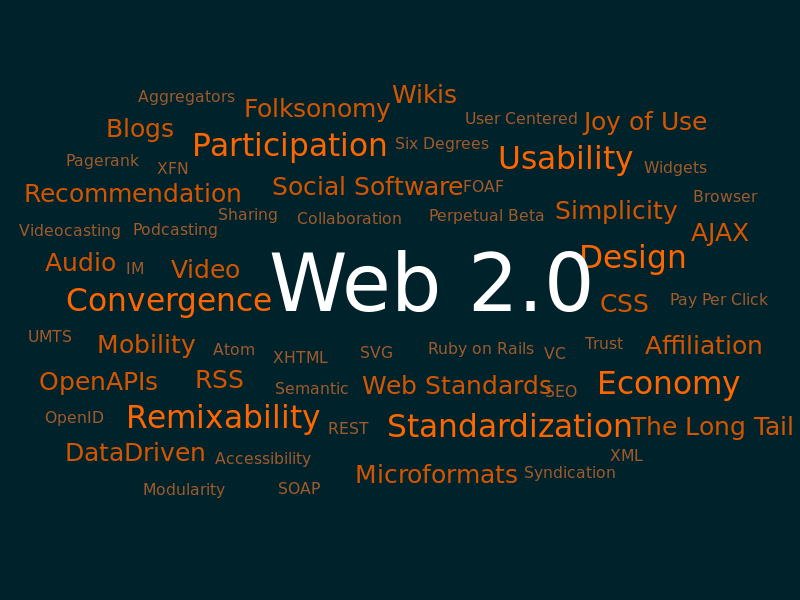
    Web 2.0

    Web 2.0 is the new World Wide Web. In it, you can do a lot more than the old Web. You can now interact on websites in addition to viewing static data. Web 2.0 web sites that use technology beyond the static pages of earlier web sites. The term was coined in 1999 by Darcy DiNucci and was popularized by Tim O'Reilly at the O'Reilly Media Web 2.0 conference in late 2004. Although Web 2.0 suggests a new version of the World Wide Web, it does not refer to an update to any technical specification, but rather to cumulative changes in the way web pages are made and used.

    A Web 2.0 site may allow users to interact and collaborate with each other in a social media dialogue as creators of user-generated content in a virtual community, in contrast to websites where people are limited to the passive viewing of content. Examples of Web 2.0 include social networking sites, blogs, wikis, folksonomies, video sharing sites like YouTube, hosted services, web applications like Office, and mashups. You can create and edit any of these types of websites.

    The client-side (web browser) technologies used in Web 2.0 development include Ajax and JavaScript frameworks such as jQuery, Ext JS and Prototype JavaScript Framework. Ajax programming uses JavaScript to upload and download new data from the web server without undergoing a full page reload.

    To allow users to continue to interact with the page, communications such as data requests going to the server are separated from data coming back to the page. Otherwise, you would have to routinely wait for the data to come back before they can do anything else on that page, just as a user has to wait for a page to complete the reload. Your site will get much higher performance because it doesn't have to refresh.

    Data are transmitted and received via Ajax, which means only parts of a webpage will be refreshed when a request for information is made and new information is delivered. This means that your website can work like any program on your computer if you get someone to build a site that has rich functionality.

    On the server side, Web 2.0 uses many of the same technologies as Web 1.0. Languages such as PHP, Ruby, Perl, Python, as well as JSP, and ASP.NET, are used by developers to output data dynamically using information from files and databases. What has begun to change in Web 2.0 is the way this data is formatted. In the early days of the Internet, there was little need for different websites to communicate with each other and share data. In the new "participatory web", however, sharing data between sites has become an essential capability. To share its data with other sites, a website must be able to generate output in machine-readable formats such as XML (Atom, RSS, etc.) and JSON. Stuff like comments, order information in a shopping site are all stored in databases online. They are readily accessible so you can retrieve them any time. Information storage is a big differentiator between Web 1.0 and 2.0 websites.

    With Web 2.0 technologies, you can do a lot more that ever before. You can capture people's data and make your own analysis when people indirectly enter their information into your databases. You can use the information to target advertising. The server side languages allow you to add interactivity, dynamically display web pages, and store entered information into databases. JavaScript lets you make fancy effects in your pages. Ajax lets you get and set information instantly in your website.


    Thursday, 7 November 2013

    Build a Store Online

    The easiest way to set up a store online is with a premade solution. Shopify is one that is easy and simple. Another one is an eBay store.

    Shopify is a one stop solution to hosting a web store online. It is a paid solution. You simply sign up follow the instructions to set up a store. No technical knowledge is required. Designs are available in preset form or you can get someone to design it. You can also get a domain name or use a shopify subdomain for your URL. Setting up payment is easy with Shopify Payments for North American stores.

    Similarly, you can build your store with eBay. The only difference is that you need a PayPal Premier or Business account to set one up. It has different tiers: Basic, Premier or Anchor. Anyone can set up a basic store, but you need to have a high volume store to upgrade it to Premier or Anchor. You can set one up as easily as Shopify.

    They are both paid solutions with monthly fees. It will cost you at least $14 for basic Shopify subscript and more expensive for an eBay subscription.

    You should be aware that for every sale, both will get a cut of your sale as a fee.

    Now there are easy solutions to sell your stuff online.

    Monday, 4 November 2013

    SEO Tips Part 2


  • repeat traffic should be encouraged
  • no broken links should be on any page
  • validate all HTML , XML and CSS code
  • use human readable file names
  • meta attributes should be around 150 characters in length
  • Thursday, 31 October 2013

    SEO - Keywords


    To optimize your site for search engines, you need to restructure your site so that:
    • there isn't too many pages for each category
    • keywords shoudn't be too common
    • reduce the number of links on each page
    • inbound links should be generated by outsiders
    • content is updated 
    • the number of categories is low
    • terms with high search volume are included
    • it includes keywords that more people are likely to search for

    Wednesday, 30 October 2013

    BitCoins

    With the Recession of 2008 still ongoing, governments all over the World are still trying to think about what to do to stimulate the economy. One way to fix the recession of course is to lower interest rate to get people to borrow for cheap. But nowadays, banks charge a lot of fees and the effective interest rate that banks set for deposits are zero or negative. There must be a way to buy things that are less costly and safer ways to keep your money. Now, there is some promise with BitCoins, a new currency which is under circulation.

    In 2009, a computer scientist, Satoshi Nakamoto, in Japan created the BitCoin currency. It is intended to be a peer-to-peer currency, which means that it is governed by a community of people who volunteer to maintain the currency system. People can use it to trade goods. So, it is not governed by any central authority. This system has zero transaction costs, if someone gives you BitCoins, you keep all of it. BitCoins are divisible up to 8 decimal places, so you can send very small denominations of BitCoins.

    BitCoins is a virtual currency system which allows people to store their money locally, as a file on your computer. The file which contains your money is encrypted so no one can access it. You can back it up to a file for storage elsewhere, and that file is also encrypted. To protect your BitCoins, you can set a password. The money can be used in any places that accept BitCoins and they can also be exchanged for regular currency circulating around the World. Like many currencies, their exchange value is variable over time. But what is keeping it stable is that the money supply will be generated more and more slowly over time, preventing the possibility that people having access to an excessively large money supply and so people cannot buy goods so fast that it creates runaway inflation. At the end, the money supply will taper off at about 21 million BitCoins. Because of the slowing in the creation of new BitCoins over time, the risk of rapid inflation is decreasingly likely over time, and deflation will be the trend after many years, so the value of BitCoins will go up over time, as opposed to currencies in the real world.

    Fraud is prevented because transactions and creation of BitCoins are recorded with a secured database stored on a bank of computers. This also means that BitCoins cannot be fraudulently duplicated. So this is another measure which prevents high inflation rendering the money useless.
    The money supply can be generated by anyone that has a computer. Once you install the BitCoin software, click on the Options menu and click Generate Coins to start generating BitCoins. They will be generated at a very slow rate because to make new BitCoins, your computer has to make solve cryptographic problems by guessing and testing. Once it is solved, you get 50 BitCoins. This may take a few days or weeks or months, depending on the speed off your computer. Some people are so ambitious that they let a bank of computers solve these problems to generate BitCoins.

    Sending BitCoins is easy. Once you know the business or person’s BitCoin address, you can just click the Send button and send money to the BitCoin address you specify.

    There is a small economy which trade goods and services with BitCoins in 2011. These businesses are listed in http://bitcoin.org/trade. There, you can also find websites which trades BitCoins for various real world currencies. You can also buy BitCoins with your real money. Currently, examples of online stores which sell tangible goods and accept BitCoins as payment include bookstores, electronics, clothing stores, etc. Services stores include domain name registration services, web design services, etc.

    The BitCoin monetary system is still quite simple at the moment. There is no credit system or banks, so you cannot borrow money and there is no place to deposit your money other than as a file on your computer. But the advantage of BitCoins is that you can protect your own stash of cash, so banks are not necessary if you just want to store your cash. Because of the high possibility of deflation from the increasing effort in generating BitCoins, the money you keep will increase; this is effectively like adding interest to your deposits.
    There are problems with BitCoins. Its encrypted nature can be exploited by criminals who want to launder money. Also, the economy is very small right now, so it is not an alternative to real currencies like US or Canadian Dollar. If you are not connected to the Internet that can also be a problem if you trade using BitCoins often, because it is the Internet is the only way that BitCoins can be sent or received. Of course, it is also not an alternative to banks because you cannot use it to pay bills directly and perform many kinds of functions that banks can like issue checks and withdraw money via debit cards etc. The lack of a credit system means that you cannot lend or borrow money. The BitCoin system is not a banking service and should not be treated as such. Rather, it is a system for performing transactions and storing wealth safely.

    If the BitCoin system catches on, you would not need banks to transfer and deposit money. Essentially, everyone has their own virtual safe or wallet in which people can hold their own money. The encrypted file that you back up has all your money in it. Because it has strong encryption, it is just as safe as banks, and no authorities can access to your BitCoin file or the network of computers with BitCoin software installed, so people can transfer as much BitCoins around as they want. Whereas if you transfer money in banks, there are upper limits to how much you can transfer to prevent fraud and money laundering. If this catches on and criminal use it, then it would be a great problem for the authorities to track it. It is completely impossible to regulate or control the flow of money. Capital can flow freely between countries instantly. So, if BitCoin becomes prevalent, then the international finance system will change dramatically. Economists’ ideal of freely money flow would be met because of its encrypted and unregulated nature and the fact that no central bank can issue BitCoins, only the BitCoin system controlled by computers all over the World can. This implies that prices all over the World would be dictated by the flow of BitCoins. From an economic perspective, this would be optimal for everyone compared to banks because people can choose the optimal flow of money. In other words, if BitCoins becomes the prevailing medium of exchange, people would prefer it over banks because of its free nature. It is also an optimal medium for exchanging goods internationally because it has zero transaction costs, this means that from simple theories of international trade would hold. For instance, wage will adjust to their optimal level because BitCoins are transferred instantly, and it is subject to capital flow controls imposed by governments. Adjustment in wages in this fashion means that the price of goods will adjust to a level where production is optimized, because flows of capital and adjustment in wages will change to their optimal levels since transactions cost nothing and are instant. 

    The implications of then free flows also mean that the World as a whole would become an Optimum Currency Area, that is, the World would become one big market where flow of currencies are free, and so it is optimal because producers and consumers would agree on prices they like. This big market will reach efficiency because of the free flows of money that is made possible by the BitCoin system. This has great implications for the World economy because production would not be bounded by any region. Globalization would be even more prevalent than it is now because of this completely friction-free flow of financial capital, in addition to the relatively free flow of the labor market which we have now.

    All in all, the broad circulation of BitCoins means that people have the authority to generate their own supply of money. Regulation would also be decentralized. If the World uses it, then the World would be much more globalized than it is now. People would not have to worry about differing prices in different places or exchanging money. They would just spend it. There would not be any control of flow of money because of its decentralized nature. Countries would not need central banks, and other banks are much more limited in their function if BitCoin catches on. All tradable goods would have the same prices everywhere, and if labor can move anywhere, wages would be adjusted so that it will be the same everywhere. With BitCoins, the global financial system is controlled by the people. No one can gain it or control it because of it decentralized nature and clear record keeping and encryption capabilities. Every transaction is recorded in a separate entry. Counterfeiting would also be almost impossible because it tracks every BitCoin generated, so there would be one less kind of fraud. This is a dream come true for economists, producers, and consumers alike. If Bankers change to BitCoins, they benefit as well because of its security and anti-counterfeiting features.

    Until more people know about BitCoins, it is unlikely that BitCoins will be in broad circulation. Because of this, there is not yet much regulation on BitCoins or similar kinds of currency. Because the system is well thought out to prevent fraud and inflation destroying the usefulness of the currency, it does not need much regulation in terms of monetary policy and counterfeit prevention. There is also no BitCoin based financial instruments, so there is no need for laws in that regard either.


    BitCoins is a new system of exchange. The supply of money is tightly controlled, so it will remain stable. BitCoins’ value will be maintained because they have low inflation or deflation, so the purchasing power of BitCoins will be hard to wipe out. There is already a small economy which uses BitCoins for exchange. It has the advantage of no transaction cost so people receiving payments receive the full payment. It is not subject to the whim of any person or bank, so its maintenance is a community effort. The money is stored as a file on your computer which you can back up and password-protect, so you can be sure that it is safe. If BitCoin catches on as a medium of exchange in the World, would trade and finance would be a lot freer. Economic ideals as we know it today would come true. That is, equilibrium in wages and prices would be reached. However, the community is small. It is an interesting currency.


    Tuesday, 29 October 2013

    Factors Affecting SEO


    Many factors affect your site's SEO peformance. Here is a list and how to address them:
    • inbound links - the more the merrier, but they should be from legitimate sites
    • keywords - 2 to 6 percent of your site should have your chosen search keywords
    • meta tags - should describe your site and have your targeted search keywords
    • alt attribute - label your images with human readable descriptions
    • time on site - have engaging content so visitors will stay on your site
    • site loading speed - make sure your host is fast and your site haver no big images. Images should be less than 70KB. 
    • invalid code - validate your code with HTML and CSS validators online or buy validator software and use it to check your code before uploading (check your code here: validator.w3.org/‎
      )
    • minimize downtime - get a host that doesn't go down often, fix your site when people don't visit, i.e. when your target audience are sleeping
    • duplicate content  - create original content most of the time
    • competitive keywords not present - your targeted search keywords should be on your webpages
    • PageRank - get good PageRank by getting inbound links and getting high quality content
    • mobile website - your site needs a mobile option for your site to have a good ranking on mobile version of Google
    The takeaway is that you need a mobile version of your site, write high quality, original content, clean up your code, and make your site load quickly.


    Saturday, 26 October 2013

    Instagram for Business

    Instagram is no longer an amateur social media tool. You as a businessperson can also benefit from it.

    Post your product pictures on Instagram and share them so that your target audience can view them. Share links of your Instagram images on Facebook, Twitter, LinkedIn and your blog to maximize views.

    Use the editing tools in the Instagram app to edit your pictures before posting.

    Thursday, 24 October 2013

    Email Marketing

    Email marketing is still very useful in today's marketing space. It has the higher conversion rates compared to many types of marketing.

    All email lists should be created by letting people opt in to your list. You can ask for permission by putting a box on your website and letting people fill it out if they want your newsletter, or you can ask for people's email address in offline marketing venues.

    To get people to give you their email address, you need to give people incentives to opt in. One way to do it is to exchange some of your products for their email addresses. Examples include books, free consultation, etc.

    After you made your list, you need to use a mass emailing service so that you can mail to people in your list. MailChimp and Constant Contact are well known as email marketing services. Submit your list to their services, create your messages by using their templates or manually with HTML and CSS and you can email to your market audience. Use a catchy subject line and have calls to action in your content. Create urgency in your messages.

    Email marketing is a low cost way to use direct marketing. You can view your returns in those services.

    Saturday, 19 October 2013

    HootSuite Scheduler

    HootSuite's schedule is a valuable for social media marketers. You can use it to schedule messages to post at the time of your choosing.

    Log on to HootSuite and add your social media accounts by going to the bottom left corner. HootSuite is capable of connecting to more types of accounts than most social media automation services. More obscure account types like LinkedIn Company Pages are available for connection .Then go to scheduler shown on the top left and copy and paste your message to HootSuite, choose your account on the right of the message pane and click on the calendar and time drop downs to choose your time and date.


    The best time to post depends on your audience. If you want promote products or services, then late mornings are good because that is when workers have free time to shop. For kids, some time in the after school period is good.

    The scheduler is available in the free version of HootSuite. You can schedule your messages manually in the free version, but if you want batch scheduling of messages, you can upgrade to the premium version.

    HootSuite provides a versatile tool for social media automation.


    Thursday, 17 October 2013

    Responsive Design

    One of internet's buzzwords is responsive design. It means designing webpages that adapts to any screen. It is not very difficult to create.

    The clear advantage of responsive websites is that you only have to maintain one websites for all devices.

    Responsive design involved using CSS3 features. You need to use media queries to specify how a page should be displayed for set screen resolutions. Specify the screen resolution cases by using @media (max-width: x px) and (min-width y px), where x and y are the resolutions you want to specify.

    Then you add the opening bracket, write the CSS specifications using the usual CSS selectors and properties and then add the close bracket.

    For each media query, you should change the size of the images so that they fit within the body of the page. Low resolution screens should have larger fonts and smaller images and vice versa.

    CSS3 can be displayed on any modern desktop and mobile browser such as Firefox, Chrome and Internet Explorer.

    The end result of the page would be good looking on any screen.

    Monday, 14 October 2013

    How to Automate Social Media

    Businesspeople are busy, but they have to interact in the social media world for their business to succeed. What to do at this stage? Fortunately, there are many ways to automate posting to reduce the amount of work required to create posts.

    Many blogging platforms like Blogger and WordPress have scheduling tools to schedule your posts. You can set your posts to be published any time in the future via the Schedule pane on the right side on both Blogger and WordPress.


    To automate social media profile posts, you can use other free and freemium tools like HootSuite, Buffer, and Viralheat. You can connect your social media profiles to those services and enter your posts in the designated area in each of the tools, set the time, and they will be posted online at the time you specified. They are very easy to use.

    HootSuite can connect to the most social media sites out of the three. Buffer can connect to Facebook, Twitter and LinkedIn, same with ViralHeat.

    Your time is valuable, so use the tools above to save time and labor cost.

    Thursday, 10 October 2013

    Marketing Online

    Here are some unconventional tactics to promote yourself online:


    • lease out ad space of your website/blog - find a relevant service like BuySellAds and rent out space on your site
    • give away free stuff online - give incentives for people to view your content by giving away free stuff like books and videos
    • produce content - write consistently to gain page views.
    • sell ads in apps - this is a growing market with increasing target audience
    • use all social media venues: Facebook, Twitter, LinkedIn - they get a lof exposure
    • sell ads on your website
    • make YouTube videos - link to paid content from your free preview video
    • sell ads in other people's YouTube videos - buy ads on YouTube to promote your product/service

    Monday, 7 October 2013

    How to Buy Ads on Google Adwords


    Buying ads on AdWords is easy. You choose they keywords that are right for your site, select your bidding price, and write the content for your ads. The ads will be text.

    First, you login to Google AdWords with your Google account adwords.google.ca. Then you go to the keywords tool at https://adwords.google.com/ko/KeywordPlanner/Home. There, you can type in the keywords and see which ones have high search volume and medium competition. Choose those if you can afford the keywords. I will show the recommended bid price.

    Next, go to your AdWords account and type in your chosen keywords and your bid. Follow the recommendations in the keywords tool for best results.

    Finally, type in the content for your text ad. It should have a call to action, like 'Buy Now' and then enter the content for your text ad, like what product or service you are selling, price, etc. Be sure to keep them short.

    Selling ads with Google is very easy and simple. Just follow the above quick steps.

    Saturday, 5 October 2013

    Top Tools for Bloggers

    You should use these tools to get information to blog:
    1. Google Alert - subscribe to alerts to get current buzz
    2. Google Trends - check out the latest trends online
    3. Pulse - read the news to get inspiration for blogging
    4. Quora - check discussions for inspiration
    5. Reddit - bookmark information you find important
    6. inbound.org - get the attention of the public via inbound marketing
    7. EverNote - take notes
    8. Google Calendar - mark deadlines in your calendar
    9. Focus Booster - remove distractions when you blog
    10. Google Docs - collaborate on creating documents or make them yourself, it's accessible almost anywhere
    11. Gimp - free image editor
    12. Pixlr - free image editor
    13. Aspect Ratio Calculator - helps you find the right dimensions when scaling images
    14. Google Keyword Tool - find the best keywords for paid ads and SEO
    15. Yoast - WordPress SEO plugin
    16. Majestic SEO - WordPress SEO plugin
    17. MailChimp - mass email marketing service
    18. Disqus - a good forum to add to your website
    19. Polldaddy - do market research with it
    20. Google XML Sitemap  - make sitemap for submission to Google so that your site gets indexed
    21. WordPress - good blogging and content managemen platform
    22. W3 Total Cache - cache your WordPress site for best loading speed, important for good user experience and SEO
    23. Akismet - clear spam from your site
    24. WP Engine - fast web host for your site/blog
    25. Premise - tool to automatically make landing page for you without coding


    Thursday, 3 October 2013

    Google Analytics

    Google Analytics provides you with an easy way to track the viewership of your website. It is a completely free and graphical tool.

    To set up Google Analytics to track your site, you need to log on to your Google account at to view the Google Analytics. Then follow the instructions to generate your tracking code, copy and paste the code to all your webpages and it will start tracking. The first results should be in your account in a day or less.

    You can view a lot of information in Google Analytics. Geographic, demographic variables time on site are the most important indicators. Geographic variables includes country and continents of your readers, demographic include population and residence of your viewers. Time on site means how much time people spent read your site during one session.

    From the information, you can infer how to market your site. If you lack viewership in your target market, you need to work on it to make your site accessible to them. If time on site is short, that means your site's content is not very interesting and so you should change it.

    Conversions are important indicators to track. There are two types of conversions: micro and macro conversion, like subscribing to your email list. Micro conversions are small goals that lead to your ultimate goal. Macro conversions are your ultimate goal, like making a sale.

    To track your goals, you can create a conversion funnel. The funnel tracks the steps that your viewers go through to get to your goal. You need to assign a monetary value to your goal for people to track it.

    Google Analytics is very easy to use. It is a free tool that gives you a lot of insight on how to promote your online content.

    Wednesday, 2 October 2013

    Content Curation

    In addition to creating content, curating content is also a marketer's best friend. You can just select the content you want to share online and share by linking to them on your social media profile or blog.

    You should select content that are current, interesting and relevant to share. News, informational articles and entertaining stuff are all good for sharing.

    Storify is a good tool for collecting information for curation. It picks up content for you to screen and share.

    Share regularly so that your target audience expects them and visit your site or profile regularly for updates.

    Do this on multiple platforms so that your message will propagate fast.


    Monday, 30 September 2013

    CSS 3 and Modern Media

    CSS3 is the newest specification of CSS3. With this, you can create animations and formatting that are not possible or more difficult before.

    You can add animations by specifying key frames in your CSS stylesheet. Use the @keyframe query to create and add key frames of your animation. The key frames are specified using the usual CSS selectors and properties. The position on the timeline of each key frame should be specified by the progress of the animation in percentage for, e.g. 10% if it the frame should be display at 10% of animation.

    Formatting HTML is easier with CSS3. You can change the column count of the content of a webpage with column-count and column-width properties. Webkit and Gecko based browsers use the -webkit-column-count, -webskit-column-width and -moz-column-count, -mo-column-width respectively.

    Responsive design involved using CSS3 features. You need to use media queries to specify how a page should be displayed for set screen resolutions. Specify the screen resolution cases by using @media (max-width: x px) and (min-width y px), where x and y are the resolutions you want to specify.

    Then you add the opening bracket, write the CSS specifications using the usual CSS selectors and properties and then add the close bracket.

    Other transformations include rotations.

    CSS3 is compatible with the latest versions of Firefox, Chrome, and Internet Explorer.

    CSS3 is much better than previous versions of CSS. You should adopt it on your website.

    HTML 5 and New Media


    The new web publishing standard is HTML 5. It allows you to create web pages with multimedia without the use of plugins. It also adds many markup tags that describe the structure of a page.

    New elements in HTML 5 include descriptive elements such as nav, header, footer, section, figure, etc. The meaning of the tags are self explanatory. Nav means navigation, head means the page head, footer is the page's footer, figure is a picture. You should place them on the page in the position where they usually belong on a web page: header on top, footer on the bottom, figures in the middle of the page, and navigation should be somewhere prominent on the page.

    Multimedia tags new to HTML5 include audio and video. You can add audio and video clips on the page by directly referencing them in your webpage. Plugins are not required for playback. They should be in MPEG4 format and have no DRM.

    Simplifications include from HTML5 include specification of the character set via the meta element and the text/javascript type is no longer needed for script tags. JavaScript is the default.

    HTML5 is compatible with the latest versions of Firefox, Chrome, and Internet Explorer.

    HTML5 has many advantages over previous versions of HTML. The description of the page is now separate from the formatting. New multimedia elements are added to make embedding and playback easier.

    SEO Tips Part 1


    How to do it right:


  • the product names and title can be added to the keywords or description attributes of the meta tags
  • suggestions for images are fine
  • good calls to action for product descriptions, add them to alt attribute of img tags
  • blog should be updated and the entries should have the search keywords in them
  • extend people's time on site by adding appealing content (interesting products, fonts, etc)

  • Tips to Make Your Website Look Good

    Making your website look visually attractive is important for getting your viewers interested in viewing the content of your web pages. To improve your website’s appearance, follow the tips below.


    The appearance of your website should not look too busy. That means that there should not be too many colors on each page. 2 to 3 colors are enough to get people’s attention. These colors should form the color of all your pages. This way, every page is consistent and you establish a clear brand. Similarly, two to three fonts are enough. Too many kinds of fonts on one page do not make the page look good. Navigation of the website should be simple. There should be less than 8 navigational items on a page. You will confuse visitors if you have more than that.

    Overall, your colors, font choices, and layout should fit your target market. If your target market is young, maybe try using new fonts, for example. They should consist of elements that your target market likes. Ask people what they want to see and put them on your website.


    With these design tips in mind. It is easy to make your website look good. Information can be found more easily and visitors feel pleasant read each page of your website.